Mastering the Technical Side of Remote Court Appearances
The Rise of Virtual Courtrooms
The modern legal landscape has shifted significantly toward hybrid and remote proceedings. For the solo practitioner or the independent appearance counsel, the ability to join a virtual hearing from anywhere is not just a convenience; it is a vital operational competency. However, relying on a stable internet connection is only the baseline. To build a reputation as a reliable appearance professional, you must master the technical environment of the remote courtroom. This means moving beyond the basics and treating your home or office workstation like a mission-critical legal hub.
The Hardware and Connectivity Hierarchy
Reliability starts with your physical infrastructure. Courtrooms have zero tolerance for dropped calls or glitchy audio during critical motions. If you are regularly providing appearance coverage, your tech stack should be built for redundancy. You should maintain a wired Ethernet connection whenever possible, as Wi-Fi is inherently unstable due to interference. Furthermore, your audio quality is arguably more important than your video quality; a judge can follow your argument without seeing you, but they cannot follow it if your microphone is cutting out or capturing excessive background noise.
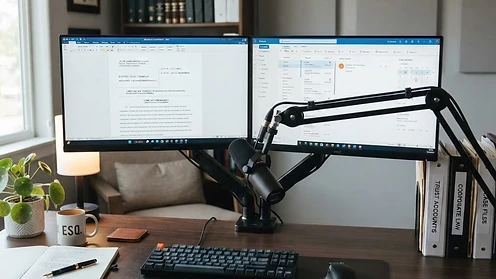
- Use a dedicated professional-grade USB microphone rather than a laptop built-in mic.
- Keep a secondary mobile hotspot device charged and ready in case your primary ISP goes down.
- Invest in a dedicated webcam that performs well in low-light environments.
- Utilize an uninterruptible power supply (UPS) to keep your gear running during short power flickers.
Optimizing Your Digital Environment for Hearings
Your virtual background and physical desk setup communicate your professionalism to the court. While many platforms offer blurred backgrounds, a clean, neutral physical space is always superior. When the judge sees a cluttered room or distracting movement, it subconsciously signals a lack of preparation. Ensure that your screen layout is configured to keep the essential case documents within your line of sight. Using a dual or triple monitor setup allows you to keep the courtroom portal on one screen while your motion papers and case notes remain open on another, preventing the need to alt-tab during the proceeding.
Security Protocols for Virtual Appearances
Cybersecurity is a professional obligation that often gets overlooked in the rush to get online. When joining a remote docket, you must ensure that your network connection is secure. If you are appearing from a coffee shop or a public space, never do so without a high-quality VPN. Furthermore, ensure that your client information is shielded from view by other people in your vicinity. If you are using screen sharing to present exhibits to the court, be hyper-aware of what is on your desktop; keep your personal emails, unrelated files, and confidential documents from other clients completely closed to avoid inadvertent disclosures.
Managing Digital Exhibits and Real-Time Evidence
One of the most frequent points of failure in remote appearances is the presentation of exhibits. Different jurisdictions utilize different platforms, such as Zoom, Webex, or specialized proprietary portals. Before you log in for a coverage appearance, you should have a firm grasp of how to upload, screen-share, or display digital exhibits. Do not assume the judge or the clerk will walk you through the process during the hearing. Practice the screen-share function with a colleague to ensure that your desktop permissions are correctly set and that you can quickly navigate to the necessary files without hesitation.
Pre-Hearing Tech Checklists
To avoid last-minute stress, adopt a standardized pre-hearing routine. Just as an airline pilot completes a flight checklist before takeoff, an appearance attorney should complete a tech checklist 30 minutes before the calendar call. This routine ensures that your system updates are not pending, your microphone is set as the default input, and your camera is focused correctly. A small checklist can save your professional reputation from a technical disaster that might otherwise lead to a delayed hearing or, worse, an adverse ruling due to lack of participation.
- Verify that your software client (e.g., Zoom/Teams) is updated to the latest version to avoid compatibility errors.
- Clear all non-essential applications from your taskbar to free up memory and prevent notification pop-ups.
- Test your internet bandwidth using an online speed test tool to ensure you have sufficient upload speeds.
- Ensure that your battery-powered devices are fully charged and plugged into a power source.
- Check the specific court portal login requirements to ensure you are entering with the correct display name.
The Human Element in the Digital Age
While the focus here is on technology, remember that the goal of using these tools is to facilitate human communication. Technology should fade into the background so that your legal advocacy can take center stage. When you arrive prepared with a reliable connection, clear audio, and seamless screen sharing, the judge and opposing counsel perceive you as an organized and efficient professional. This reliability is exactly what leads to repeat business in the appearance counsel market. By investing the time to refine your digital workspace, you set yourself apart as a high-tier provider who respects the court's time and the gravity of the legal process, regardless of whether you are standing in a physical courtroom or joining from a virtual one.
Ready to cover your next appearance? See how Appearance Partners works and view pricing, or create your attorney profile to start receiving coverage requests.
This article is general information for attorneys and is not legal, financial, or medical advice. Reading it does not create an attorney-client relationship.