Mastering the Remote Motion Calendar: A Guide for Appearance Counsel
The Evolution of the Digital Docket
The legal landscape has undergone a seismic shift as virtual court appearances become the industry standard rather than a temporary emergency measure. For appearance counsel, this transition presents a unique set of challenges and opportunities. While the core tenets of advocacy remain the same, the mechanics of navigating a motion calendar via video conferencing require a specialized skill set. Mastering the digital courtroom is no longer an optional skill; it is a primary factor in maintaining your reputation and volume as a sought-after coverage provider.
Setting the Stage for Virtual Professionalism
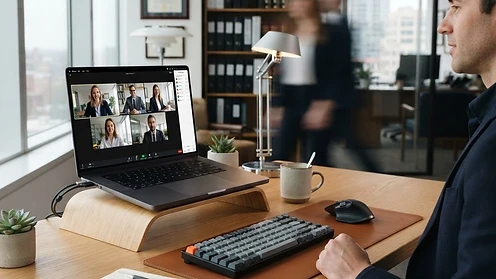
Your digital environment is your courtroom. Appearance attorneys must treat their physical setup with the same rigor they would apply to a suit and tie in a physical courtroom. A professional background is the baseline requirement. Avoid distracting home office clutter, virtual backgrounds that fail to track during movement, or suboptimal lighting that leaves your face in shadow. Investing in a high-quality external microphone and a dedicated high-speed internet connection can differentiate you from other practitioners who struggle with echo, latency, or poor audio quality. If the judge cannot hear you clearly, your legal arguments, no matter how sophisticated, will fail to resonate.
Streamlining Pre-Hearing Technical Protocols
Preparation in the virtual age involves technical due diligence. Many court systems utilize specific platforms, ranging from Zoom and Microsoft Teams to custom-built proprietary software. Never assume you know how to navigate the specific interface the court will use. To ensure seamless operation, follow these technical preparation steps:
- Test your hardware and software compatibility at least 24 hours before the scheduled appearance.
- Confirm you have the meeting ID, passcode, and the specific courtroom number or virtual link.
- Have a secondary device or mobile hotspot ready as an emergency failover if your primary internet connection fails.
- Keep the original hearing notice in a digital folder that is accessible within two clicks on your desktop.
Mastering the Virtual Lobby and Waiting Room
In a physical courtroom, you can often gauge the pace of the docket by observing the courtroom deputy or the judge's demeanor before your case is called. Virtual courtrooms often utilize 'waiting rooms' where counsel are held in suspense. This waiting period is not downtime; it is an opportunity for silent observation. Use this time to observe how the judge handles technical glitches, whether they prefer concise summaries or long-form oral arguments, and if they are particularly strict regarding time limits. Being ready the moment you are moved from the waiting room to the active courtroom indicates to the clerk and the judge that you are prepared and respectful of their time.
Effective Communication During Digital Appearances
When you are finally admitted to the virtual proceedings, your communication style must adapt to the medium. Without physical cues like walking to the podium or making direct eye contact, you must rely on crisp, articulate speech and assertive body language. When appearing on behalf of another firm, it is vital to identify yourself clearly and state whom you represent at the outset. Avoid 'talking over' the judge or opposing counsel, as digital platforms often cut audio during overlapping speech. Use a clear, measured pace, and wait for a slight pause after the judge finishes their sentence before responding.
Handling Exhibits and Digital Records
The ability to manage evidence digitally is a key differentiator for top-tier appearance counsel. Courts have varying protocols for submitting digital exhibits or sharing screens. If a judge asks you to reference a specific paragraph in a motion, you should be able to navigate to that document instantly. Consider the following workflow for managing your digital case file:
- Create a single, indexed PDF of all essential documents for the hearing.
- Use digital sticky notes or highlight key passages in your working copy for quick reference.
- Keep a list of critical case facts or dates on a separate monitor or notepad to ensure accuracy under pressure.
- Prepare your files for screen-sharing in advance by closing irrelevant tabs or private documents to protect attorney-client privilege.
Maintaining Ethical Boundaries in a Virtual Space
The convenience of remote appearances does not lower the ethical bar for practice. Conflict of interest checks remain mandatory for every appearance, even if the matter seems routine or minor. Furthermore, ensure that your surroundings during a virtual appearance are private. Do not conduct court business in public coffee shops or locations where privileged conversations could be overheard. Maintain the same level of confidentiality as if you were in the judge's chambers. By treating every virtual appearance as a formal courtroom proceeding, you protect your own professional integrity and demonstrate to the hiring firm that you are a reliable, ethical partner who understands the high stakes of their client's matter.
Ready to cover your next appearance? See how Appearance Partners works and view pricing, or create your attorney profile to start receiving coverage requests.
This article is general information for attorneys and is not legal, financial, or medical advice. Reading it does not create an attorney-client relationship.